

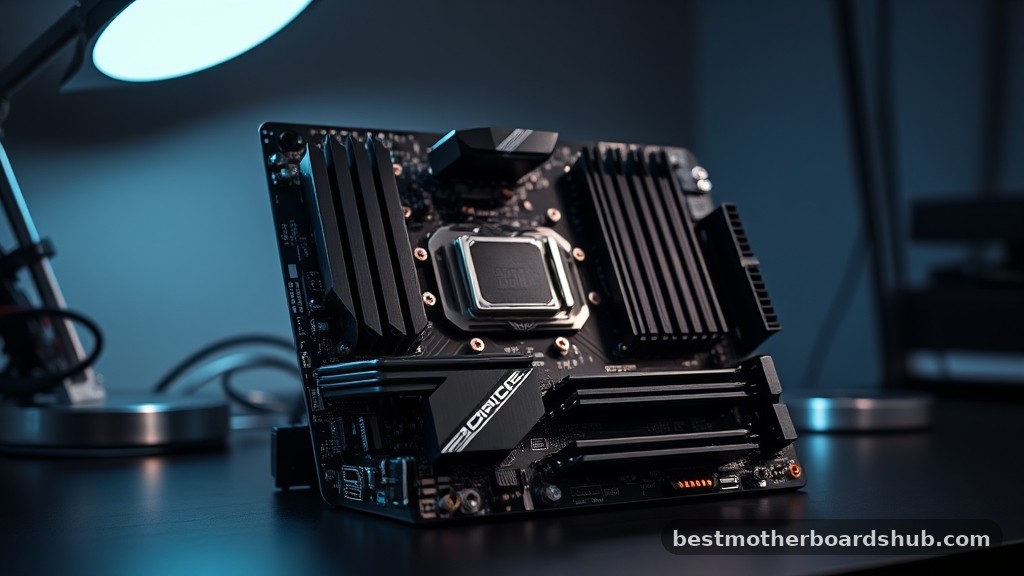
How much component longevity can you actually buy today? Building a machine requires a balance between current needs and the inevitability of hardware cycles.
Choosing the best future proof motherboards means prioritizing connectivity and power delivery that won't feel obsolete in three years. Use these selections to anchor your next high-performance build.
Key Takeaways
- Prioritize the AM5 socket to ensure compatibility with upcoming processor generations.
- Ensure the board supports PCIe 5.0 for both the primary graphics slot and M.2 storage.
- Look for USB4 ports to guarantee compatibility with high-speed external peripherals for years to come.
- Confirm the presence of Wi-Fi 7 to take advantage of the latest wireless networking standards.
- Select boards with robust VRM heatsinks to keep your power stages cool during intensive multi-core tasks.
| The Reliability Standard |  |
ASUS TUF Gaming B850-PLUS WiFi | Solid power delivery | Wi-Fi 7 included | PCIe 5.0 support | View on Amazon | Read Review |
| USB4 Performance Leader |  |
GIGABYTE X870 AORUS Elite WIFI7 | Integrated USB4 | Five-year warranty | Easy installation features | View on Amazon | Read Review |
| AI-Enhanced Midrange Power |  |
ASUS ROG Strix B850-A Gaming | AI-driven networking | Q-Antenna system | High-speed USB 20Gbps | View on Amazon | Read Review |
| White Aesthetic Masterpiece |  |
GIGABYTE X870E AORUS PRO ICE | Stunning white design | Future-proof X870E chipset | Advanced connectivity | View on Amazon | Read Review |
| Best Budget Value |  |
GIGABYTE B650 AORUS Elite AX | Great price point | Ryzen 9000 support | Intuitive BIOS tools | View on Amazon | Read Review |
| Legacy DDR4 King |  |
ASUS ROG Strix B550-F Gaming | Supports DDR4 memory | Wi-Fi 6E included | BIOS Flashback | View on Amazon | Read Review |
| High-End Workhorse |  |
MSI MPG X870E Carbon WiFi | Ultra-fast 5Gbps LAN | USB 40Gbps support | Excellent thermal design | View on Amazon | Read Review |
| Heavy Duty Reliability |  |
MSI MAG B850 Tomahawk MAX | High-speed memory support | Strong VRM cooling | 5G LAN capability | View on Amazon | Read Review |
| Entry Level Essential |  |
GIGABYTE B550 Eagle WIFI6 | Affordable entry point | Reliable Wi-Fi 6 | PCIe 4.0 support | View on Amazon | Read Review |
| Ultimate Enthusiast Platform |  |
ASUS ROG Strix X870E-E Gaming | Massive power delivery | Five M.2 slots | Advanced overclocking tools | View on Amazon | Read Review |
More Details on Our Top Picks
-
ASUS TUF Gaming B850-PLUS WiFi
This board is the anchor for your system. It balances raw performance with the durability required for a long-term build, making it the top choice if you want a reliable foundation that won't quit.
The 14+2+1 power stages handle demanding CPUs with ease. You get the latest Wi-Fi 7 connectivity, ensuring your network stays as fast as your processor for years to come. Just keep in mind that the layout is strictly functional rather than flashy.
- Socket Type:AM5
- Form Factor:ATX
- Memory Standard:DDR5
- Wireless Connectivity:Wi-Fi 7
- Storage Interfaces:3x M.2
- Power Phases:14+2+1
- Additional Feature:BIOS Flashback
- Additional Feature:PCIe 5.0 Safeslot
- Additional Feature:2.5Gb LAN
-
GIGABYTE X870 AORUS Elite WIFI7
If you need high-speed data transfers, this board is your digital highway. The integration of USB4 ports provides the bandwidth necessary for modern external drives and high-resolution displays.
It acts like a well-oiled machine, offering a five-year warranty to back up its build quality. You will appreciate the EZ-Latch mechanism, which turns the often frustrating process of installing components into a quick, painless task.
- Socket Type:AM5
- Form Factor:ATX
- Memory Standard:DDR5
- Wireless Connectivity:Wi-Fi 7
- Storage Interfaces:4x M.2
- Power Phases:14+2+1
- Additional Feature:EZ-Latch
- Additional Feature:2.5GbE LAN
- Additional Feature:PCIe 5.0 support
-
ASUS ROG Strix B850-A Gaming
This motherboard brings intelligent optimization to your desktop. By using AI Networking II and the ASUS AI Advisor, it manages your traffic and system settings to keep things running at peak efficiency without manual tweaking.
The aesthetic is clean and modern, fitting perfectly into a white or silver-themed build. While it is feature-rich, the Strix branding carries a premium focus that might be more than you need if you prefer a basic setup.
- Socket Type:AM5
- Form Factor:ATX
- Memory Standard:DDR5
- Wireless Connectivity:Wi-Fi 7
- Storage Interfaces:4x M.2
- Power Phases:14+2+2
- Additional Feature:AI Networking II
- Additional Feature:AEMP memory support
- Additional Feature:2.5G LAN
-
GIGABYTE X870E AORUS PRO ICE
You will struggle to find a cleaner look than this all-white board. It is built for enthusiasts who want their interior components to look as sharp as their processing power.
Performance does not take a backseat to style here. The X870E chipset ensures you have the headroom for upgrades throughout the rest of the decade. The white PCB is a rare find that makes a bold statement in any glass-paneled case.
- Socket Type:AM5
- Form Factor:ATX
- Memory Standard:DDR5
- Wireless Connectivity:Wi-Fi 7
- Storage Interfaces:4x M.2
- Additional Feature:EZ-Latch
- Additional Feature:USB4 support
- Additional Feature:PCIe 5.0 compatible
-
GIGABYTE B650 AORUS Elite AX
This board proves you do not need to overspend to get high-end features. It offers a perfect entry point into the AM5 socket while supporting the latest Ryzen 9000 series chips.
The 14+2+1 power phase design is impressive for this category. You get essential tools like Q-Flash and EZ-Latch, which make it a friend to newcomers who are building their first rig.
- Socket Type:AM5
- Form Factor:ATX
- Memory Standard:DDR5
- Wireless Connectivity:Wi-Fi 6E
- Storage Interfaces:PCIe 5.0 M.2
- Power Phases:14+2+1
- Additional Feature:Q-Flash
- Additional Feature:RGB Fusion
- Additional Feature:2.5GbE LAN
-
ASUS ROG Strix B550-F Gaming
Sometimes you want to stick with proven technology. This board is for the user who already has a stockpile of DDR4 memory and wants to build a rock-solid workstation or secondary gaming machine.
It serves as a steady bridge between older hardware and modern performance. Despite its age, the inclusion of Wi-Fi 6E and 2.5Gb LAN keeps it relevant for modern networking requirements.
- Socket Type:AM4
- Form Factor:ATX
- Memory Standard:DDR4
- Wireless Connectivity:Wi-Fi 6E
- Storage Interfaces:PCIe 4.0
- Additional Feature:Aura Sync RGB
- Additional Feature:2.5Gb LAN
- Additional Feature:HDMI 2.1
-
MSI MPG X870E Carbon WiFi
This board is an absolute powerhouse for heavy loads. With 5Gbps LAN and USB 40Gbps connectivity, it is designed for those who move massive files or run multiple high-speed peripherals simultaneously.
It acts as the central nervous system of your workstation. The Carbon series is well-regarded for its thermal management, which keeps the board cool even during intensive computing sessions.
- Socket Type:AM5
- Form Factor:ATX
- Memory Standard:DDR5
- Wireless Connectivity:Wi-Fi 7
- Storage Interfaces:M.2 Gen5
- Additional Feature:Bluetooth 5.4
- Additional Feature:PCIe 5.0
- Additional Feature:SATA 6Gb/s
-
MSI MAG B850 Tomahawk MAX
The Tomahawk is the tactical choice for builders who demand stability above all else. Its 80A SPS VRM ensures your processor receives clean power even when it is pushed to its limits.
With support for high-frequency DDR5 memory up to 8400+ MT/s, it is built to keep pace with the fastest components available. It is a no-nonsense board that does exactly what you ask of it.
- Socket Type:AM5
- Form Factor:ATX
- Memory Standard:DDR5
- Wireless Connectivity:Wi-Fi 7
- Storage Interfaces:M.2 Gen5
- Power Phases:80A SPS
- Additional Feature:PCIe 5.0 x16
- Additional Feature:Memory Boost
- Additional Feature:5G LAN
-
GIGABYTE B550 Eagle WIFI6
If you are building on a strict budget, this board keeps the costs down without sacrificing core functionality. It covers the basics, providing reliable support for Ryzen 5000 series chips and essential Wi-Fi 6 connectivity.
Think of it as the reliable sedan of motherboards. It is not designed to break speed records, but it will get your system up and running with minimum fuss.
- Socket Type:AM4
- Form Factor:ATX
- Memory Standard:DDR4
- Wireless Connectivity:Wi-Fi 6
- Storage Interfaces:2x M.2
- Power Phases:10+3
- Additional Feature:PCIe EZ-Latch
- Additional Feature:RGB Fusion
- Additional Feature:GbE LAN
-
ASUS ROG Strix X870E-E Gaming
This is the luxury sedan of the AM5 lineup. With 18+2+2 power stages, it provides an unwavering energy supply for the most demanding overclocking projects you can conceive.
The Q-Release Slim feature is a genuine pleasure, allowing you to remove your graphics card without scraping your knuckles. If you want a board that leaves no feature behind, this is it.
- Socket Type:AM5
- Form Factor:ATX
- Memory Standard:DDR5
- Wireless Connectivity:Wi-Fi 7
- Storage Interfaces:5x M.2
- Power Phases:18+2+2
- Additional Feature:Dynamic OC Switcher
- Additional Feature:Q-Release Slim
- Additional Feature:USB4 support
Frequently Asked Questions
Do I really need to pay more for a premium motherboard?
You are paying for better thermal management and extra expansion slots. While a budget board will run your CPU, a higher-end model prevents overheating during heavy multitasking. Think of it as insurance against future component failures.
Will a larger motherboard fit in my current case?
Check your case specifications for ATX compatibility before you buy. Most mid-tower cases fit standard ATX boards, but compact cases often require smaller Micro-ATX or Mini-ITX sizes. Measuring your chassis saves you the headache of an impossible install.
How many M.2 slots should I look for?
Aim for at least three M.2 slots if you store large files or game libraries. Modern games take up significant space, and having extra slots allows you to add storage without clearing out your existing drives. It keeps your build clean and avoids the clutter of traditional SATA cables.
Is it worth waiting for new chipset releases?
New chipsets often arrive with fringe benefits like increased USB bandwidth or minor power efficiency gains. If your current system is failing, waiting rarely yields enough value to justify the downtime. Buy the best available today to get your work done now.
Can I upgrade my CPU without changing the motherboard?
You can only upgrade within the same socket family. If the motherboard manufacturer keeps the socket active for two or three years, you have an easy path forward. Always verify the BIOS update requirements on the manufacturer website before you swap in a newer chip.


