

Desks once held a single heavy monitor and maybe a framed photo. Today, managing data, charts, and communications requires multiplying that screen space by four.
Sorting through the best quad monitor stands means balancing stability with ergonomic flexibility. Let us look at what makes these heavy-duty desktop upgrades actually work.
Key Takeaways
- Prioritize the weight capacity per arm over the total screen count to prevent unexpected drooping.
- Measure your desk thickness carefully before choosing between a heavy-duty C-clamp or a bolt-through grommet base.
- Check the VESA pattern compatibility on the back of your displays to ensure a secure mounting fit.
- Consider articulating arms if you plan on frequently adjusting the angles of your side screens.
- Remember that ultrawide screens require specialized mounts with wider spacing and higher weight limits than standard monitors.
| Best Desk Stand |  |
VIVO Free Standing Quad Stand | No drilling required | Fully adjustable joints | Holds four screens | View on Amazon | Read Review |
| Unique Layout Choice |  |
VIVO 3 Plus 1 Clamp Mount | Unique layout | Secure C-clamp | Articulating arms | View on Amazon | Read Review |
| Vertical Space Saver |  |
WALI Stacked 4 Monitor Mount | Vertical stacking | Solid weight limit | Compact footprint | View on Amazon | Read Review |
| Heavy Duty Powerhouse |  |
VIVO Pneumatic Ultrawide Quad Mount | Handles ultra-wides | Gas spring arms | Extra tall pole | View on Amazon | Read Review |
| Budget Friendly Option |  |
WALI Quad Monitor Desk Mount | Standard 2×2 grid | Independent articulation | Affordable setup | View on Amazon | Read Review |
| Smooth Gas Springs | 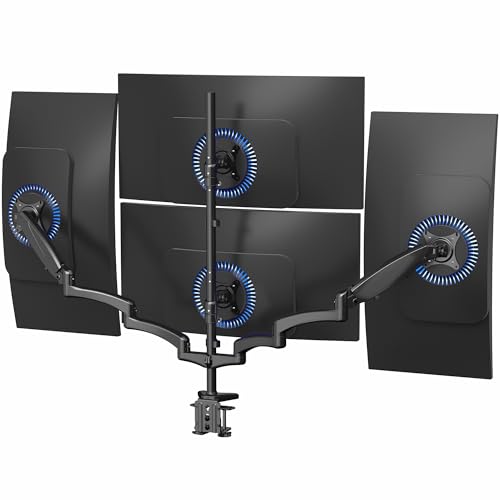 |
VIVO Pneumatic Quad Desk Stand | Pneumatic counterbalance | Grommet option included | Flexible positioning | View on Amazon | Read Review |
| Sleek Profile Stand |  |
MOUNT PRO 4 Monitor Mount | Low profile arms | Cable channels | Clean aesthetics | View on Amazon | Read Review |
| Massive Screen Titan |  |
VIVO Black Ultrawide Stand | Supports 38-inch ultrawides | Steel desktop base | Rock solid frame | View on Amazon | Read Review |
| Sturdy Articulating Mount | 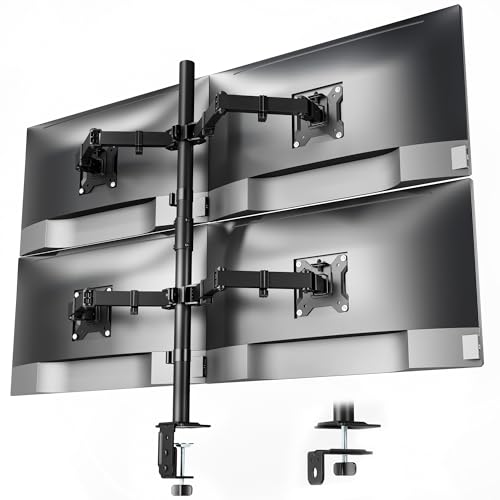 |
monTEK Quad Monitor Stand | Portrait rotation | Solid steel build | Reliable stability | View on Amazon | Read Review |
More Details on Our Top Picks
-
VIVO Free Standing Quad Stand
Juggling four monitors on a crowded desk feels like trying to park a limousine in a compact garage, but this heavy-duty stand solves the space crisis. You get a freestanding base that stays put without requiring permanent alterations to your furniture, making it a great pick for renters or office workers who rearrange often.
Each screen can be independently adjusted for height and tilt, which prevents neck strain during long spreadsheet sessions. But keep in mind that balancing four heavy displays on a single base takes patience during setup, so grab a helpful friend for the assembly process.
- Brand:VIVO
- Type:Free-Standing Mount
- Screen Size:13 to 30 inch
- Monitor Count:4
- Mounting Method:Free-standing base
- Additional Feature:Cable management clips
- Additional Feature:Supports flat and curved screens
- Additional Feature:VESA compatible brackets
-
VIVO 3 Plus 1 Clamp Mount
Breaking away from the standard two-over-two grid, this three-plus-one configuration places three monitors in a neat horizontal row with a fourth screen perched right on top. It suits stock traders, data analysts, and video editors who want a massive panoramic view with a dedicated monitoring dashboard overhead.
The C-clamp attachment locks securely onto the back of your desk, freeing up precious surface area for your keyboard and coffee mug. A slight downside is that positioning the top monitor requires careful coordination with the lower row to avoid awkward viewing angles.
- Brand:VIVO
- Type:Clamp-on Desk Mount
- Screen Size:13 to 32 inch
- Monitor Count:4
- Mounting Method:C-clamp
-
WALI Stacked 4 Monitor Mount
If your desk is wider than it is deep, vertical stacking prevents your workspace from feeling like an enclosed cockpit. This WALI mount arranges four screens vertically in a two-by-two grid, keeping your peripheral vision clear while centralizing your digital workflow.
Sturdy weight capacity supports up to 22 pounds per arm, which easily handles standard office monitors without sagging. However, reaching the upper adjustment bolts after mounting all four displays can be a bit awkward.
- Brand:WALI
- Type:Stacked Mount
- Screen Size:13 to 27 inch
- Weight Capacity:22 lbs per arm
- Monitor Count:4
- Mounting Method:Desk mount
- Additional Feature:Integrated cable clips
- Additional Feature:Detachable VESA plates
- Additional Feature:Adjustable arm height
-
VIVO Pneumatic Ultrawide Quad Mount
Massive screens demand serious structural support, and this extra-tall pneumatic mount handles four ultra-wide displays without breaking a sweat. It is built for power users running expansive simulator setups or massive security monitoring stations where standard mounts simply buckle under the load.
Gas spring arms make floating adjustments effortless, allowing you to push or pull heavy screens with a gentle touch. On the downside, the sheer physical scale of this rig means you need a heavy-duty desk capable of supporting substantial cantilevered weight.
- Brand:VIVO
- Type:Pneumatic Arm Mount
- Screen Size:Up to 49 inch
- Weight Capacity:Max 44 lbs per arm
- Monitor Count:4
- Mounting Method:Desk mount
- Additional Feature:Quick release brackets
- Additional Feature:Heavy duty C-clamp
- Additional Feature:Integrated cable management
-
WALI Quad Monitor Desk Mount
Getting a multi-monitor command center operational does not require emptying your savings account, thanks to this accessible WALI solution. It uses a traditional 2×2 grid that fits most standard office monitors, making it an ideal choice for remote workers scaling up their home productivity.
Each arm offers independent articulation, so you can angle the outer screens inward to create a more immersive viewing arc. The main limitation is that cable management clips feel a bit flimsy, requiring zip ties if you run thick braided power cords.
- Brand:WALI
- Type:Desk Mount
- Screen Size:13 to 32 inch
- Weight Capacity:22 lbs per arm
- Monitor Count:4
- Mounting Method:Desk mount
-
VIVO Pneumatic Quad Desk Stand
Fluid motion makes all the difference when you need to reconfigure your desk layout throughout the workday. This VIVO stand features pneumatic counterbalance arms that let you raise or lower each monitor smoothly, mimicking the feel of high-end office furniture.
A sturdy C-clamp and grommet mounting option gives you flexibility depending on your desk construction and cable port availability. Be prepared for a lengthy assembly process, because balancing four gas-sprung arms requires precise tension calibration.
- Brand:VIVO
- Type:Pneumatic Mount
- Screen Size:Up to 32 inch
- Monitor Count:4
- Mounting Method:C-clamp or grommet
-
MOUNT PRO 4 Monitor Mount
Minimalist aesthetics meet heavy-duty utility in this streamlined mount designed for standard office displays. The low profile arms keep your workspace looking tidy while supporting four separate screens in a classic grid layout.
Integrated cable management channels keep power cords and video cables neatly tucked away from view, preventing desktop clutter. The weight capacity per arm is slightly lower than some competitors, so verify your monitor weights before purchasing.
- Brand:MOUNT PRO
- Type:Quad Mount
- Screen Size:Max 32 inch
- Weight Capacity:17.6 lbs each
- Monitor Count:4
- Mounting Method:Desk mount
-
VIVO Black Ultrawide Stand
Standard mounts fail when you try to mount multiple ultra-wide screens side by side, which is why this specialized stand exists. It accommodates massive 38-inch ultrawides, creating an uninterrupted wall of pixels for video editors and simulation enthusiasts.
A heavy steel desktop base ensures the whole assembly remains rock solid, even when screens are fully extended outward. Because of the sheer width supported, you will need a remarkably deep and sturdy desk to accommodate the footprint.
- Brand:VIVO
- Type:Desk Stand
- Screen Size:27 to 38 inch
- Monitor Count:4
- Mounting Method:Free-standing base
-
monTEK Quad Monitor Stand
Finding a reliable backbone for a four-screen productivity station stops right here with this monTEK stand. It provides robust arm articulation that lets you rotate monitors into portrait mode, which is fantastic for coding or reading lengthy documents.
The solid steel construction prevents annoying monitor wobble while you type aggressively on your mechanical keyboard. Setting up the height alignment for all four screens takes some fine-tuning, but the final result looks remarkably professional.
- Brand:monTEK
- Type:Quad Stand
- Screen Size:17 to 32 inch
- Weight Capacity:22 lbs each
- Monitor Count:4
- Mounting Method:Desk mount