

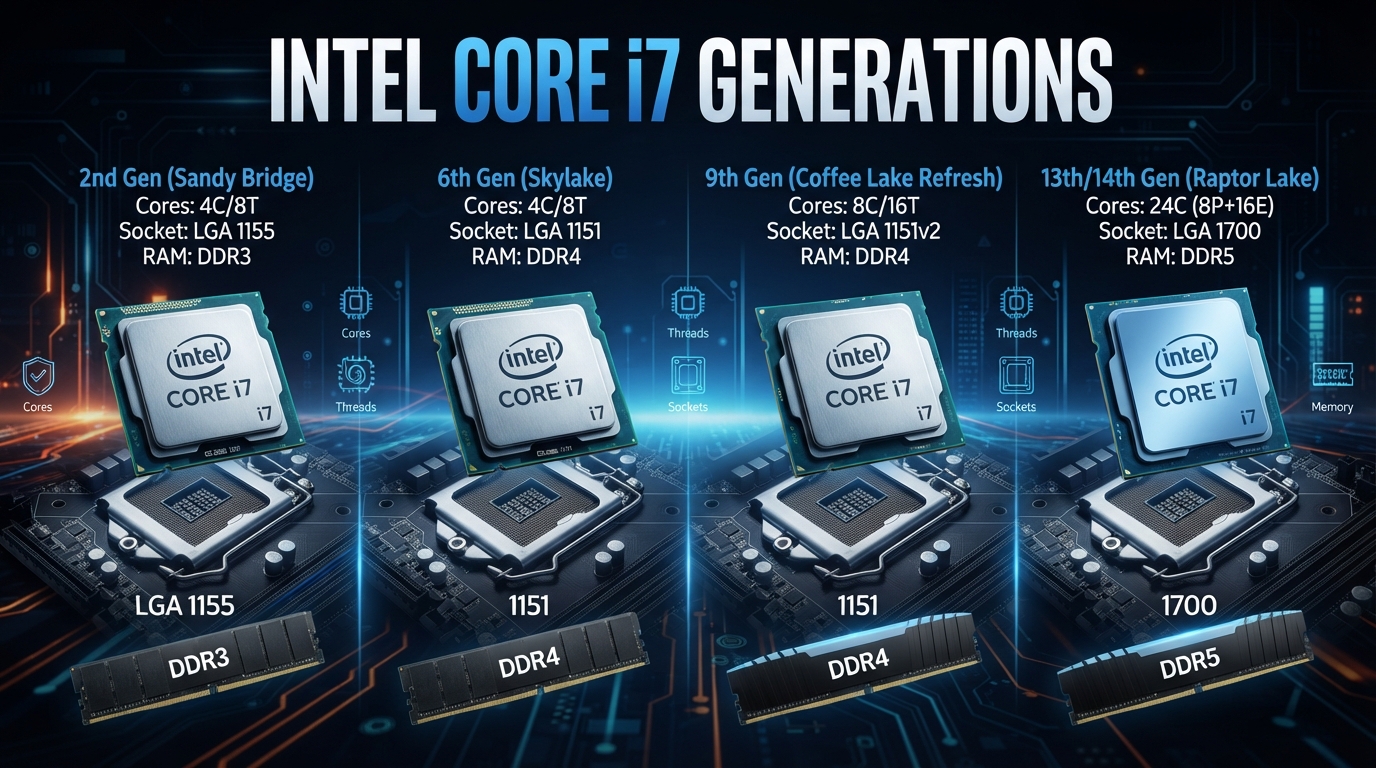
The Intel Core i7 family has evolved significantly since its introduction in 2008. Over the years, Intel has changed the architectures, manufacturing processes, motherboard sockets, memory standards, core configurations, and platform technologies used by Core i7 processors.
For anyone choosing a motherboard for a Core i7 CPU, the generation and exact processor model are particularly important. The name “Core i7” covers processors from very different platforms, and two CPUs carrying the Core i7 name may require completely different motherboards.
This guide compares representative desktop Core i7 processors from the first through the 14th generation and explains how their sockets, memory technologies, core counts, and manufacturing processes have changed.
Intel Core i7 Generations at a Glance
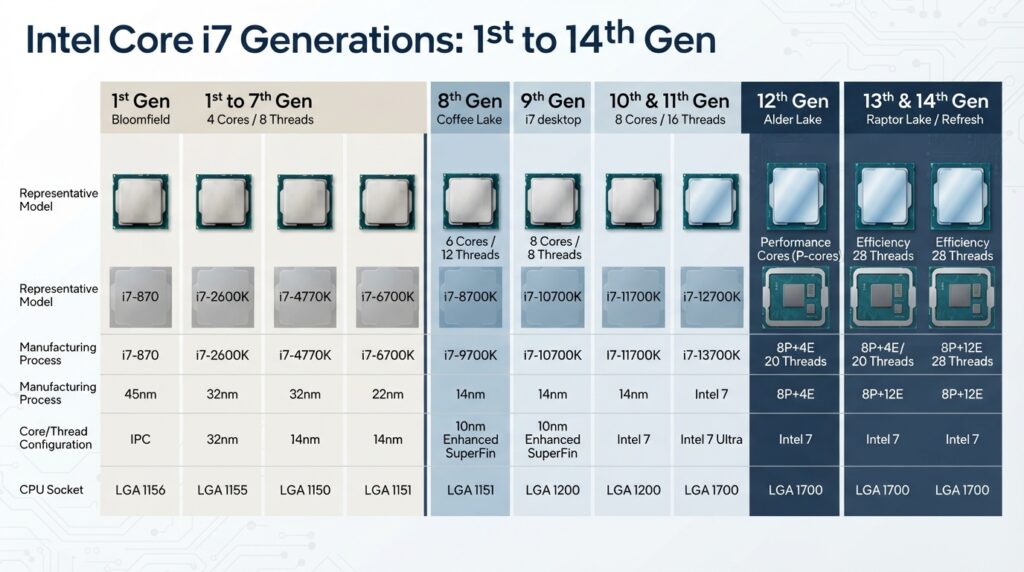
The following table uses representative desktop processors from each generation. It is not intended to list every Core i7 model, since Intel also produced Core i7 processors for notebooks, high-end desktop systems, workstations, and other platforms.
| Generation | Representative Processor | Cores | Threads | Socket | Memory Support | Process |
|---|---|---|---|---|---|---|
| 1st | Core i7-920 | 4 | 8 | LGA1366 | DDR3 | 45 nm |
| 2nd | Core i7-2600K | 4 | 8 | LGA1155 | DDR3-1333 | 32 nm |
| 3rd | Core i7-3770K | 4 | 8 | LGA1155 | DDR3-1600 | 22 nm |
| 4th | Core i7-4770K | 4 | 8 | LGA1150 | DDR3-1600 | 22 nm |
| 5th | Core i7-5775C | 4 | 8 | LGA1150 | DDR3L-1600 | 14 nm |
| 6th | Core i7-6700K | 4 | 8 | LGA1151 | DDR4-2133 / DDR3L-1600 | 14 nm |
| 7th | Core i7-7700K | 4 | 8 | LGA1151 | DDR4-2400 / DDR3L-1600 | 14 nm |
| 8th | Core i7-8700K | 6 | 12 | LGA1151 | DDR4-2666 | 14 nm |
| 9th | Core i7-9700K | 8 | 8 | LGA1151 | DDR4-2666 | 14 nm |
| 10th | Core i7-10700K | 8 | 16 | LGA1200 | DDR4-2933 | 14 nm |
| 11th | Core i7-11700K | 8 | 16 | LGA1200 | DDR4-3200 | 14 nm |
| 12th | Core i7-12700K | 12 (8P + 4E) | 20 | LGA1700 | DDR5-4800 / DDR4-3200 | Intel 7 |
| 13th | Core i7-13700K | 16 (8P + 8E) | 24 | LGA1700 | DDR5-5600 / DDR4-3200 | Intel 7 |
| 14th | Core i7-14700K | 20 (8P + 12E) | 28 | LGA1700 | DDR5-5600 / DDR4-3200 | Intel 7 |
Intel’s documentation confirms the progression in core counts, memory standards, sockets, and manufacturing technology for these representative processors. For example, the first-generation i7-920 belongs to Intel’s legacy desktop Core platform, while the i7-2600K, i7-3770K, i7-4770K, i7-5775C, and i7-6700K represent successive platform changes.
1st Generation Core i7
The first-generation Core i7 desktop processors introduced the Core i7 brand in 2008. The Core i7-920 is a representative processor from this generation.
The i7-920 has four physical cores and supports eight threads through Intel Hyper-Threading technology. It uses the LGA1366 socket and DDR3 memory. Intel’s documentation for the original desktop Core i7 family lists the i7-920 with four cores, eight threads, three memory channels, DDR3 memory support, and the LGA1366 package.
The first-generation platform was also important because Intel moved the memory controller onto the processor rather than relying on a traditional external memory-controller arrangement.
For motherboard selection, LGA1366 is a critical identifier. A motherboard designed for LGA1366 cannot be substituted with a later mainstream Core i7 motherboard simply because both systems use a Core i7 processor.
2nd Generation Core i7
Second-generation Core i7 processors are based on Intel’s Sandy Bridge architecture. The Core i7-2600K is one of the best-known desktop representatives.
The i7-2600K has four cores and eight threads and uses Intel’s 32 nm manufacturing process. Intel specifies DDR3-1066/1333 memory support for the processor and an LGA1155 package.
The move from LGA1366 to LGA1155 represented a major change in Intel’s mainstream desktop platform. Consequently, a first-generation LGA1366 motherboard cannot be used with an i7-2600K.
Sandy Bridge also brought a more highly integrated processor design, combining major components of the platform into the CPU package.
3rd Generation Core i7
Third-generation Core i7 processors introduced the Ivy Bridge architecture. The Core i7-3770K is a representative desktop processor.
The i7-3770K has four cores and eight threads and uses a 22 nm manufacturing process. Intel specifies DDR3-1333/1600 memory support and an FCLGA1155 package.
The third generation retained the LGA1155 socket used by Sandy Bridge. However, sharing a socket does not mean that every motherboard supports every processor. BIOS support and the motherboard chipset must also be considered.
This makes the 2nd- and 3rd-generation Core i7 platforms an early example of why socket information alone is not sufficient for determining CPU compatibility.
4th Generation Core i7
Fourth-generation Core i7 processors are based on Intel’s Haswell architecture. The Core i7-4770K is a representative model.
The i7-4770K has four cores and eight threads, uses a 22 nm process, and supports DDR3 and DDR3L memory. Intel lists DDR3-1333/1600 and DDR3L-1333/1600 support and an FCLGA1150 package.
The move to LGA1150 means that fourth-generation mainstream Core i7 processors cannot be installed in an LGA1155 motherboard.
For someone building or upgrading an older PC, this distinction is important because the physical appearance and naming of the processors can make different generations seem more interchangeable than they actually are.
5th Generation Core i7
Fifth-generation Core i7 desktop processors include the Broadwell-based Core i7-5775C.
The i7-5775C has four cores and eight threads and uses Intel’s 14 nm process. It supports DDR3L memory and uses the FCLGA1150 package. Intel specifies DDR3L-1333/1600 support for this processor.
Broadwell is particularly interesting from a motherboard perspective because it retained the LGA1150 platform used by Haswell while introducing a newer processor generation.
An LGA1150 motherboard therefore does not automatically guarantee support for both generations. The motherboard’s chipset and BIOS support should be checked before purchasing or upgrading.
6th Generation Core i7
Sixth-generation Core i7 processors introduced Intel’s Skylake architecture to the mainstream desktop market. The Core i7-6700K is a representative processor.
The i7-6700K has four cores and eight threads and uses a 14 nm manufacturing process. Intel specifies support for DDR4-1866/2133 and DDR3L-1333/1600, with an FCLGA1151 package.
This generation marked an important transition in desktop memory technology because DDR4 became a major mainstream option.
For motherboard buyers, the distinction between DDR3L and DDR4 is important. The processor may support multiple memory standards, but a particular motherboard is designed for a specific type of DIMM. DDR3 and DDR4 modules cannot simply be substituted for one another.
7th Generation Core i7
Seventh-generation Core i7 processors are based on Intel’s Kaby Lake architecture. The Core i7-7700K is a representative desktop processor.
The i7-7700K has four cores and eight threads and uses the 14 nm manufacturing process. Intel’s processor documentation lists DDR4-2133/2400 and DDR3L-1333/1600 memory support and an LGA1151 package.
Although the sixth and seventh generations both use LGA1151, motherboard compatibility still depends on the specific chipset and BIOS.
This is an important distinction because the term “LGA1151 motherboard” does not by itself identify a single universal platform.
8th Generation Core i7
The eighth-generation Core i7 family brought a significant increase in mainstream desktop core counts.
The Core i7-8700K has six cores and twelve threads and uses Intel’s 14 nm manufacturing process. It supports DDR4-2666 memory and uses the FCLGA1151 package.
The eighth generation is particularly relevant to motherboard compatibility because Intel retained the LGA1151 package designation while changing the platform requirements.
As a result, an LGA1151 motherboard designed for an earlier generation should not automatically be assumed to support an eighth-generation processor. The compatible chipset and BIOS must be checked for the exact CPU and motherboard combination.
9th Generation Core i7
The ninth-generation Core i7 family includes the Core i7-9700K.
The i7-9700K has eight physical cores and eight threads and uses a 14 nm process. Intel lists DDR4-2666 memory support and the LGA1151 package.
One notable difference from many earlier Core i7 desktop processors is that the i7-9700K has eight physical cores but eight threads rather than 16. This reflects Intel’s decision to use a different Hyper-Threading configuration on this particular Core i7 model.
Like the eighth generation, ninth-generation processors require a compatible LGA1151 platform rather than simply any motherboard carrying the LGA1151 designation.
10th Generation Core i7
The tenth-generation desktop Core i7 family includes the Core i7-10700K.
The i7-10700K has eight cores and sixteen threads. It uses Intel’s 14 nm process, supports DDR4-2933 memory, and uses the FCLGA1200 package.
The move from LGA1151 to LGA1200 created a new mainstream desktop motherboard platform.
For an upgrade from a ninth-generation system, the CPU socket therefore becomes an immediate compatibility consideration. An LGA1151 motherboard cannot be used with an i7-10700K.
11th Generation Core i7
The eleventh-generation desktop Core i7 family is represented by processors such as the Core i7-11700K.
The i7-11700K has eight cores and sixteen threads and uses the LGA1200 package. Intel specifies DDR4-3200 memory support and a 14 nm manufacturing process for the processor.
The 11th-generation desktop platform retained LGA1200 from the previous generation, but compatibility still depends on the motherboard chipset and BIOS.
The processor also supports PCI Express 4.0, providing a platform-level improvement over the PCI Express 3.0 support associated with the previous-generation i7-10700K.
12th Generation Core i7
The 12th-generation Core i7 family introduced one of the biggest architectural changes in the history of the mainstream Core platform.
The Core i7-12700K uses a hybrid architecture consisting of eight Performance-cores and four Efficient-cores. It therefore has 12 total cores and 20 threads.
Intel lists the i7-12700K with the LGA1700 socket and support for up to DDR5-4800 or DDR4-3200 memory. Intel identifies the processor’s manufacturing technology as Intel 7.
The move to LGA1700 also introduced a new motherboard platform. Unlike earlier transitions where DDR3 or DDR4 dominated a platform, LGA1700 motherboards can be designed around either DDR4 or DDR5 depending on the specific board.
This means buyers need to check not only whether a motherboard supports the processor, but also which memory standard the motherboard accepts.
13th Generation Core i7
The 13th-generation Core i7 family continued Intel’s hybrid architecture. The Core i7-13700K is a representative desktop processor.
The i7-13700K contains 16 total cores, consisting of eight Performance-cores and eight Efficient-cores. It provides 24 threads and uses Intel’s LGA1700 socket. Intel lists support for up to DDR5-5600 or DDR4-3200 memory and identifies the process as Intel 7.
Because the 13th generation retained LGA1700, it shares a physical socket family with 12th-generation desktop processors.
However, motherboard compatibility should still be verified at the chipset and BIOS level. A physical socket match does not by itself establish that a particular motherboard will support a particular processor.
14th Generation Core i7
The Core i7-14700K represents a substantial increase in core count within the mainstream Core i7 family.
The processor contains 20 total cores: eight Performance-cores and twelve Efficient-cores. It provides 28 threads and uses the LGA1700 socket.
Intel specifies support for up to DDR5-5600 or DDR4-3200 memory and identifies the processor’s manufacturing technology as Intel 7. The processor supports two memory channels and up to 192 GB of memory under Intel’s specified conditions.
The 14th-generation desktop platform retained LGA1700, allowing compatible motherboards from the previous platform generation to remain relevant. However, BIOS support remains an important consideration when installing a 14th-generation processor on an older LGA1700 motherboard.
How Core Counts Changed Across Core i7 Generations
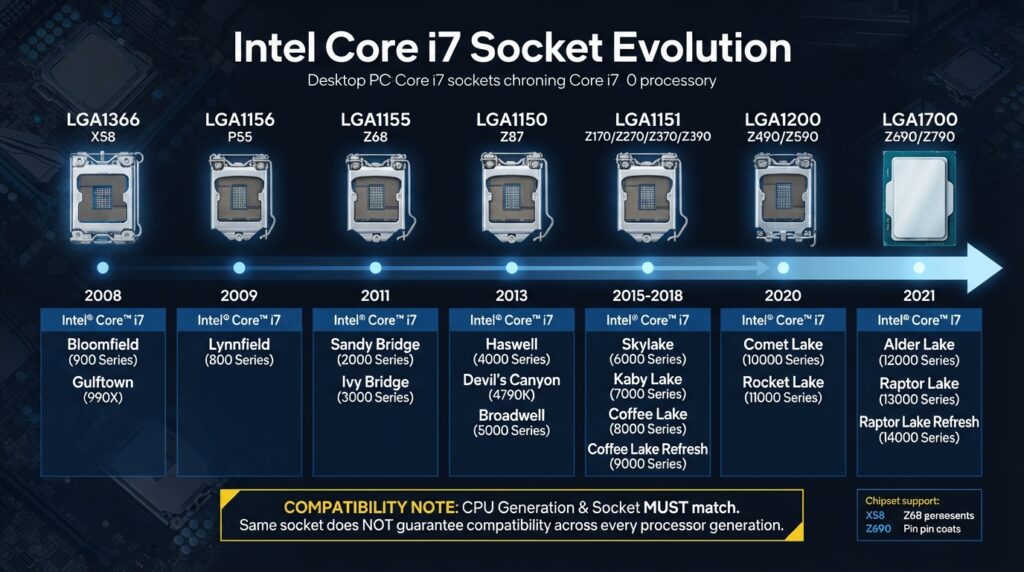
The increase in core count is one of the clearest trends in the Core i7 family.
Early mainstream desktop Core i7 processors generally used four physical cores and eight threads. The eighth generation increased this to six cores and twelve threads on the i7-8700K. The ninth generation moved to eight physical cores on the i7-9700K.
The tenth and eleventh generations continued with eight-core, 16-thread configurations on representative Core i7 models.
The 12th generation introduced Intel’s hybrid architecture. Instead of using identical cores throughout the processor, Intel combined Performance-cores and Efficient-cores.
The i7-12700K has 12 total cores, the i7-13700K has 16, and the i7-14700K has 20. The corresponding thread counts are 20, 24, and 28.
This progression illustrates why the Core i7 name alone does not provide enough information to compare processors. The generation and exact model number are essential.
Core i7 Socket Evolution
The mainstream desktop Core i7 family has moved through several socket platforms over its history.
A simplified progression is:
LGA1366 → LGA1155 → LGA1150 → LGA1151 → LGA1200 → LGA1700
There were additional Core i7 platforms, including high-end desktop processors using different sockets, so this sequence should not be treated as a complete list of every Core i7 platform.
More importantly, socket names should not be used as the only compatibility test.
Several Core i7 generations shared a socket designation while using different platform requirements. The most obvious example is LGA1151, which appears across multiple Core generations but does not represent one universal compatibility platform.
Core i7 Memory Evolution
Memory technology has changed considerably throughout the Core i7 family.
The earliest desktop Core i7 processors used DDR3 memory. Later generations continued using DDR3 while introducing DDR3L on selected platforms.
The sixth generation expanded mainstream desktop support to DDR4, while later generations increasingly standardized around DDR4. The 12th generation then introduced DDR5 alongside DDR4 support.
The newer LGA1700 Core i7 processors illustrate the distinction clearly. Intel specifies up to DDR5-4800 or DDR4-3200 for the i7-12700K and up to DDR5-5600 or DDR4-3200 for the i7-13700K and i7-14700K.
However, a processor supporting both memory standards does not mean a motherboard can use both. A motherboard is normally designed for one memory standard, and DDR4 and DDR5 DIMMs use different physical interfaces.
Why the Core i7 Generation Matters When Choosing a Motherboard
The Core i7 name has been used for processors spanning many different generations and platforms. Consequently, choosing a motherboard based only on the “Core i7” designation can result in an incompatible combination.
Before purchasing a motherboard for a Core i7 processor, verify the following:
- Exact CPU model
- Processor generation
- CPU socket
- Compatible chipset
- BIOS support
- Supported memory type
- Official memory speed
- Memory channel configuration
- PCI Express support
- Motherboard CPU support list
The exact model number is especially important. For example, an i7-9700K and an i7-10700K are both eight-core desktop Core i7 processors, but they use different sockets: LGA1151 and LGA1200 respectively.
Similarly, the i7-12700K, i7-13700K, and i7-14700K all use LGA1700, but the exact motherboard BIOS and chipset support should still be checked before installation.
Socket Compatibility Is Not Enough
A common mistake when upgrading a PC is to assume that a matching socket guarantees compatibility.
The socket determines whether the processor can physically and electrically interface with the motherboard, but the motherboard firmware and chipset also determine which processors are supported.
The history of LGA1151 is a good example. Multiple Core i7 generations used LGA1151, yet the platform requirements were not identical across those generations.
The same principle applies to LGA1700 systems. A motherboard may physically accept multiple generations of LGA1700 processors, but the required BIOS version and chipset support should be verified before installing a CPU.
For this reason, the motherboard manufacturer’s CPU support list is one of the most useful resources to check before buying or upgrading.
DDR4 vs. DDR5 on Core i7 Platforms
Memory selection becomes especially important with newer Core i7 processors.
The 12th-, 13th-, and 14th-generation desktop Core i7 processors can support DDR4 or DDR5 depending on the processor and motherboard configuration. Intel’s specifications list both standards for representative processors such as the i7-12700K, i7-13700K, and i7-14700K.
A DDR4 motherboard and a DDR5 motherboard may use the same CPU socket while having physically different DIMM slots.
Therefore, if you already own DDR4 memory and are selecting an LGA1700 motherboard, you need a DDR4-compatible board. Conversely, a DDR5 motherboard requires DDR5 memory.
The memory type should therefore be considered alongside the CPU socket when choosing a motherboard.
Core i7 Generations and PCI Express
PCI Express support has also progressed with newer Core i7 platforms.
The representative 8th-generation i7-8700K supports PCI Express 3.0, while Intel lists PCI Express 4.0 support for the 11th-generation i7-11700K. The 12th-generation i7-12700K and 13th-generation i7-13700K support newer PCI Express generations, and the 14th-generation i7-14700K supports PCI Express 5.0 and 4.0.
This matters when pairing a processor with a motherboard because the CPU and motherboard chipset together determine which expansion features are available to the system.
For users installing modern graphics cards or high-speed NVMe storage, PCI Express support can therefore be another important motherboard-selection factor.
How to Check Core i7 and Motherboard Compatibility
A reliable compatibility check should start with the exact processor model rather than simply the Core i7 family name.
For example, if the processor is an i7-13700K, first identify its socket and platform requirements. Intel lists the processor as an LGA1700 CPU with support for DDR5-5600 or DDR4-3200.
The next step is to check the motherboard manufacturer’s CPU support list. This confirms whether the particular board supports the processor and whether a specific BIOS version is required.
Finally, check the memory configuration. An LGA1700 motherboard may support DDR4 or DDR5, but the two memory types are not interchangeable.
This process avoids one of the most common mistakes in PC building: purchasing a motherboard based on a socket name without checking the complete platform requirements.
Frequently Asked Questions
Are all Intel Core i7 processors compatible with the same motherboards?
No. Core i7 processors span many generations and socket platforms. A first-generation i7-920 uses LGA1366, while an i7-10700K uses LGA1200 and an i7-14700K uses LGA1700.
Can an LGA1151 motherboard support every LGA1151 Core i7 processor?
No. Several Core i7 generations use the LGA1151 designation, but platform compatibility varies by generation, chipset, and BIOS.
Can a Core i7 motherboard use either DDR4 or DDR5?
Not necessarily. Some Core i7 processors support both memory standards, but the motherboard itself is designed for a particular memory type. DDR4 and DDR5 modules are not interchangeable.
Does a newer Core i7 always require a new motherboard?
Not always. Some processor generations share a socket platform, such as the 12th, 13th, and 14th generation desktop processors using LGA1700. However, chipset and BIOS compatibility still need to be verified.
How many cores does a Core i7 have?
It depends on the generation and model. Representative desktop processors range from four cores in early Core i7 generations to 20 total cores in the 14th-generation i7-14700K.
Does Core i7 mean the processor supports Hyper-Threading?
Not necessarily. Hyper-Threading support varies by processor model and generation. For example, the i7-9700K has eight cores and eight threads, while the i7-10700K has eight cores and 16 threads.
Final Takeaway
Intel’s Core i7 family has gone through major changes in architecture, core count, memory technology, manufacturing process, and motherboard platform.
The progression from LGA1366 and DDR3 on early Core i7 systems to LGA1700 and DDR5 support on newer processors illustrates how much the underlying platform has changed.
For motherboard selection, the most important lesson is that “Core i7” is not a sufficient compatibility specification. The exact processor model, generation, socket, chipset, BIOS support, and memory standard should all be checked before purchasing a motherboard.
A motherboard that is compatible with one Core i7 processor may be unsuitable for another Core i7 processor from a different generation, even when the processors share similar branding or, in some cases, even the same physical socket.
Sources
- Intel, Core i7-920 and legacy desktop processor comparison.
- Intel, Core i7-2600K specifications.
- Intel, Core i7-3770K specifications.
- Intel, Core i7-4770K specifications.
- Intel, Core i7-5775C specifications.
- Intel, Core i7-6700K specifications.
- Intel, Core i7-7700K processor information.
- Intel, Core i7-8700K specifications.
- Intel, Core i7-9700K specifications.
- Intel, Core i7-10700K specifications.
- Intel, Core i7-11700K specifications.
- Intel, Core i7-12700K specifications.
- Intel, Core i7-13700K specifications.
- Intel, Core i7-14700K specifications.